Eight roles for a thousand use cases
Brex's 8 user roles were enough for small teams, but for enterprise organizations, they were a liability. An HR admin shouldn't see bill pay. A travel manager shouldn't touch accounting. But there was no way to make those distinctions — customers either got too much access or not enough. For security-conscious organizations, that alone was a reason not to adopt.
The deeper problem: nobody had mapped what permissions should even exist across Brex. Every domain had its own capabilities, its own edge cases, and its own opinions. Before we could design custom roles, we had to define what a "role" actually meant. That meant learning about domains we'd never worked in and designing something that held together across all of them.
Divide, conquer, and hope it fits back together
Our team of 3 designers divided the work by product area (I took Payables, and Travel) and met with stakeholders on each team to map what granular controls users actually needed.
We regrouped to compare notes and stress-test a single organizing framework: view, create, edit, delete. Running it against real use cases revealed the edge cases fast. There were a handful of capabilities that didn't fit neatly anywhere. Documenting those early meant we could design around them rather than be surprised mid-build.
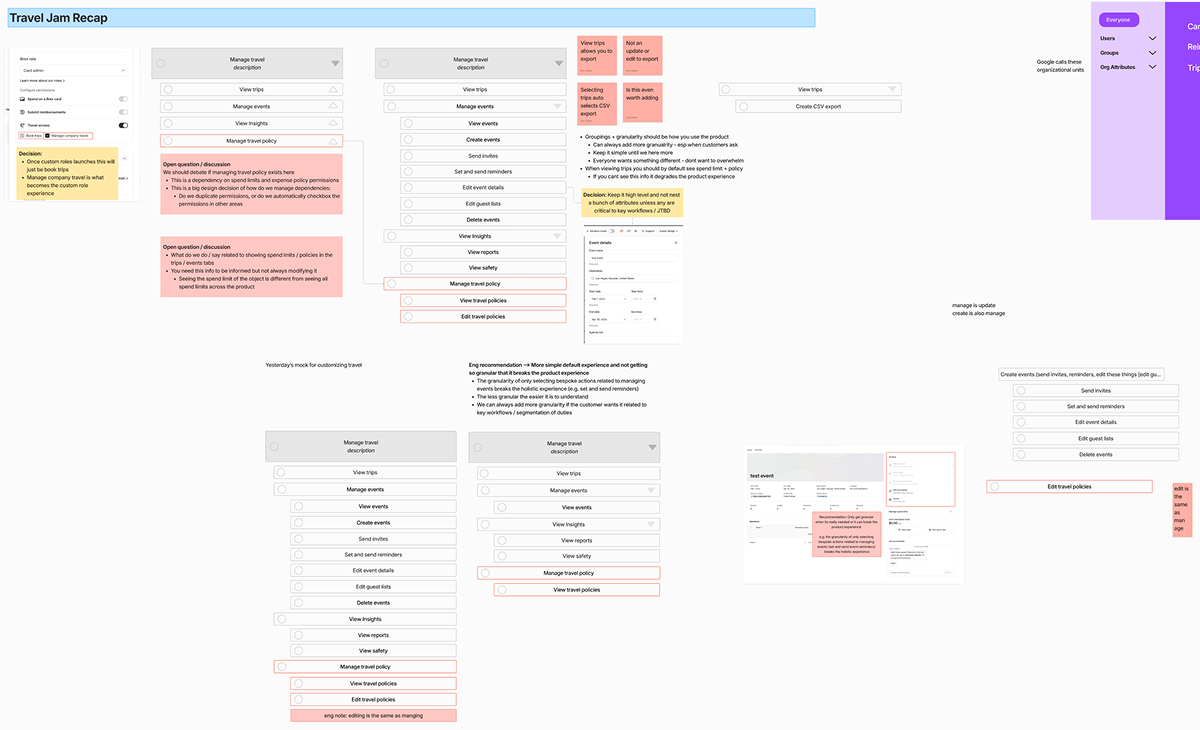
Splitting up and regrouping became the whole rhythm of this project. It required trust that everyone's piece would connect, and a willingness to say "I found a gap" when we reconvened.
Making a very long list feel manageable
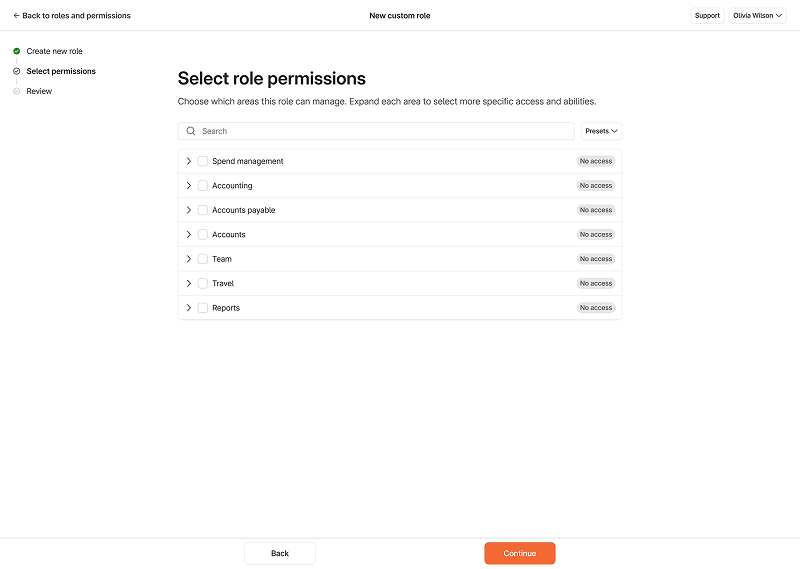
With a full permissions inventory in hand, I focused on the selection component — the core interaction where admins would actually build a role. The list was long. Genuinely long. I looked at bulk-select patterns from Gmail and dense table UIs to find a structure that could scale.
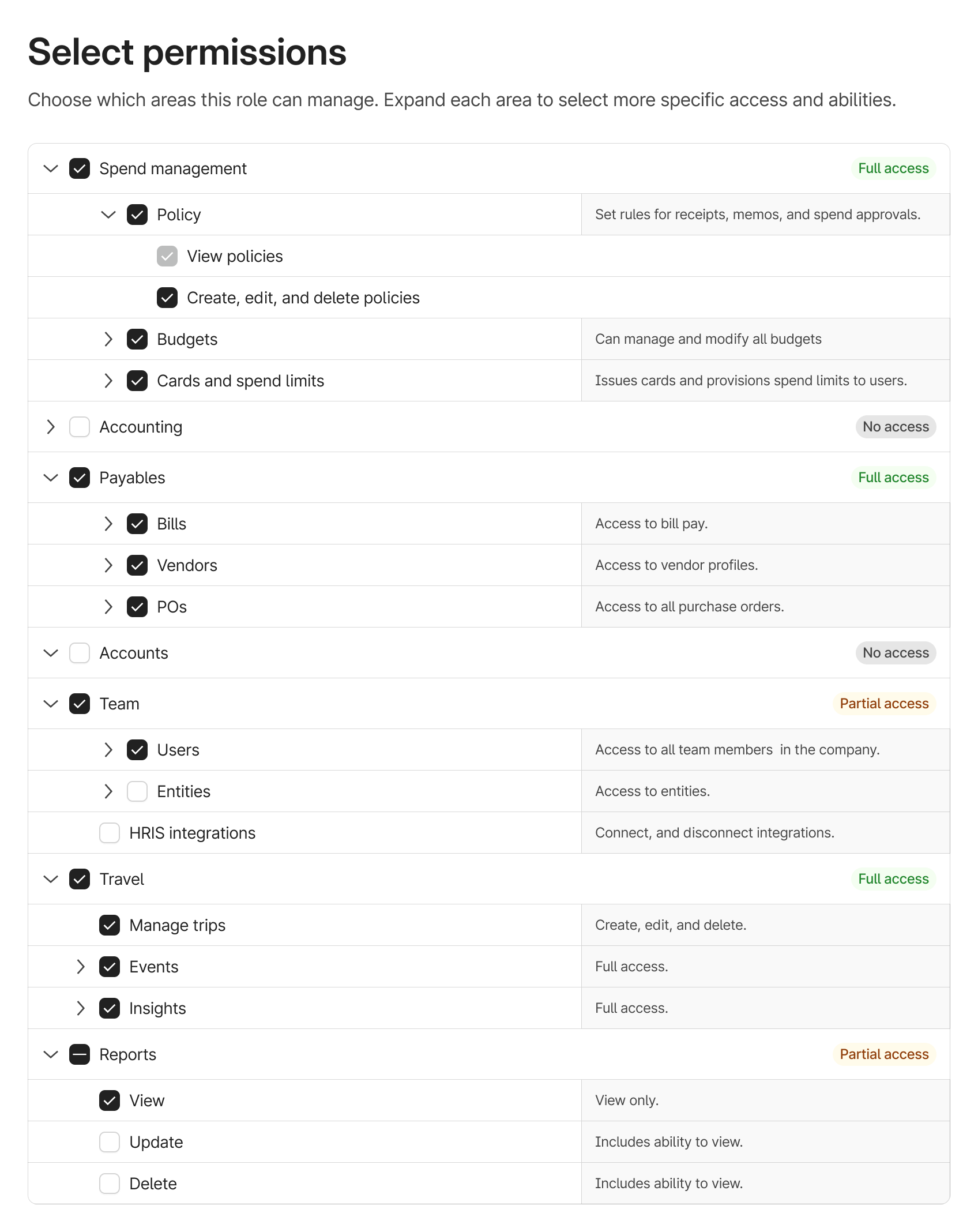


Collapse everything by default
Admins can grant access to a high-level domain in one click, and only go granular when needed. Nobody had to wade through the full list unless they wanted to.
Permissions are additive
Selecting edit automatically selects view — eliminating contradictory combinations and reducing the cognitive load of building a role from scratch.
Clear, consequential copy
Short descriptions for every permission ensured admins understood exactly what they were granting. "Access to bill pay" means all bills, not a filtered view.
Tags for quick confirmation
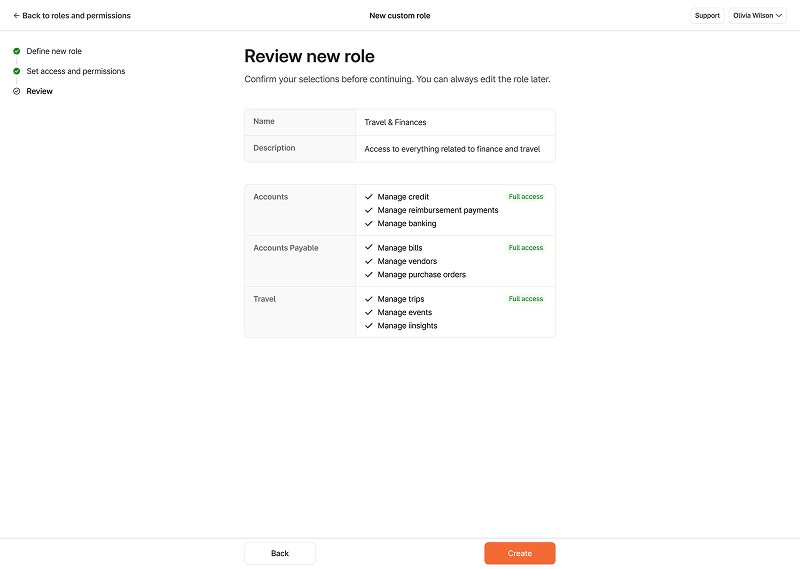
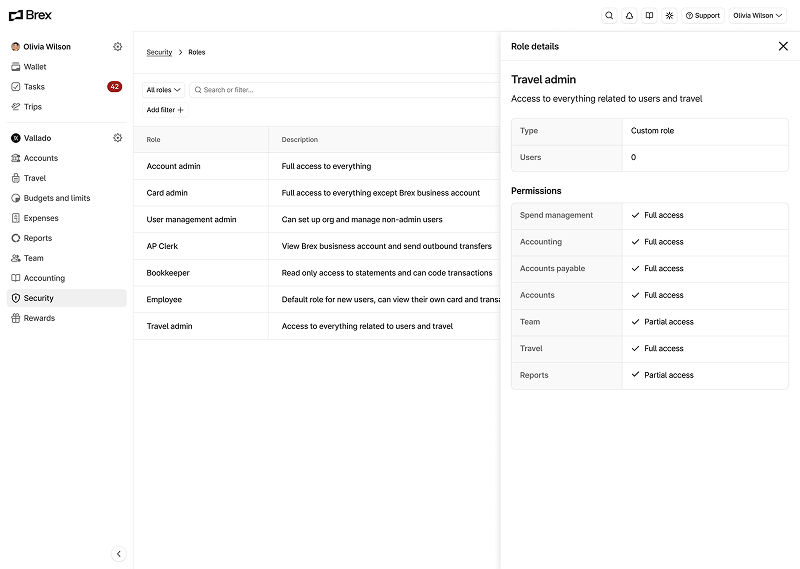
If only some permissions are selected, a tag reads 'Partial access' — a visual check and a safeguard against accidental access granted while exploring the list.
Weekly check-ins with design staff and the executive team kept feedback flowing, and it centred around the same things: scale, scannability, not overwhelming users with choices. The collapsible structure and tags answered both. I pushed further for two additions that would let users create a custom role in as few clicks as possible:
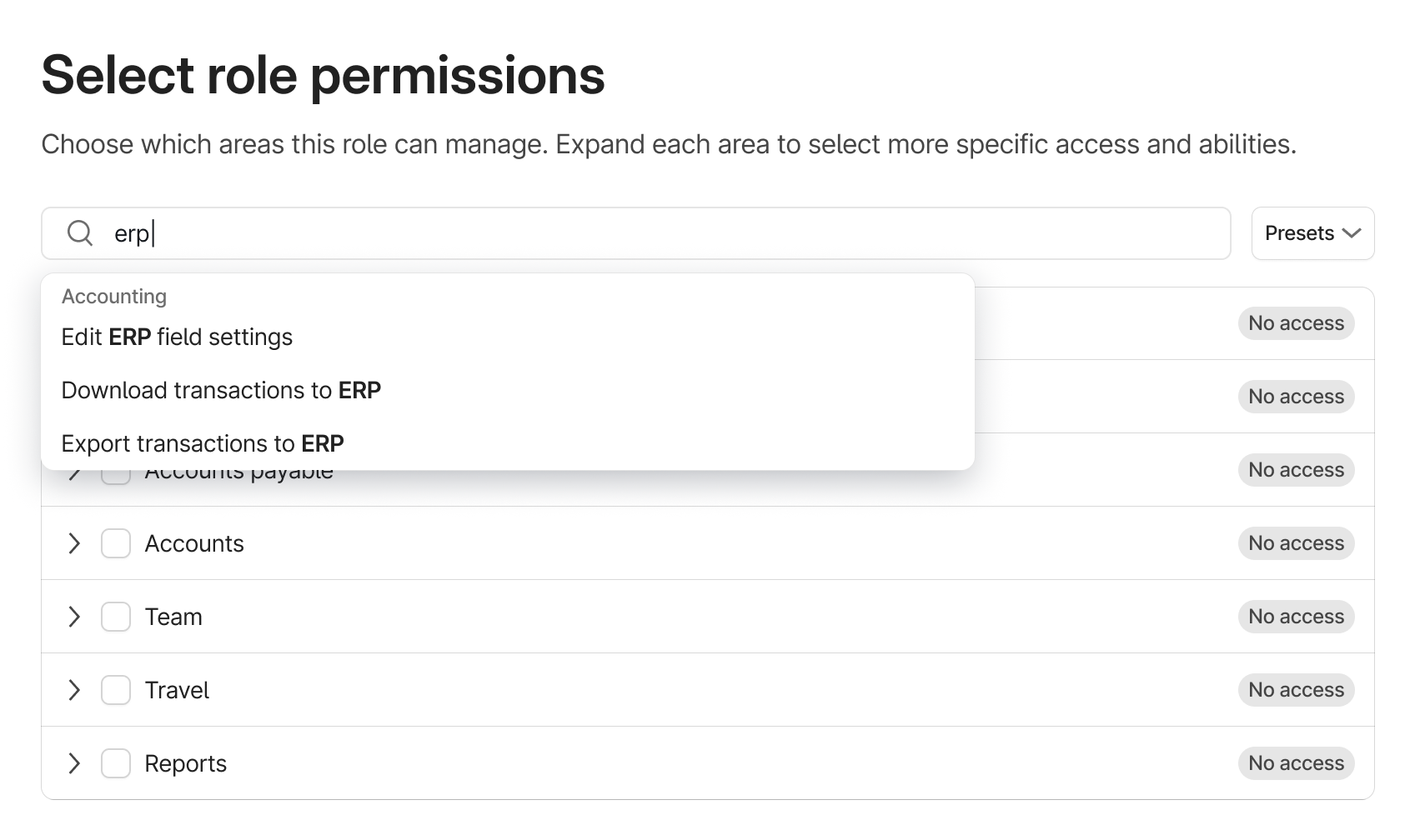
Search to locate permissions without expanding and scanning.
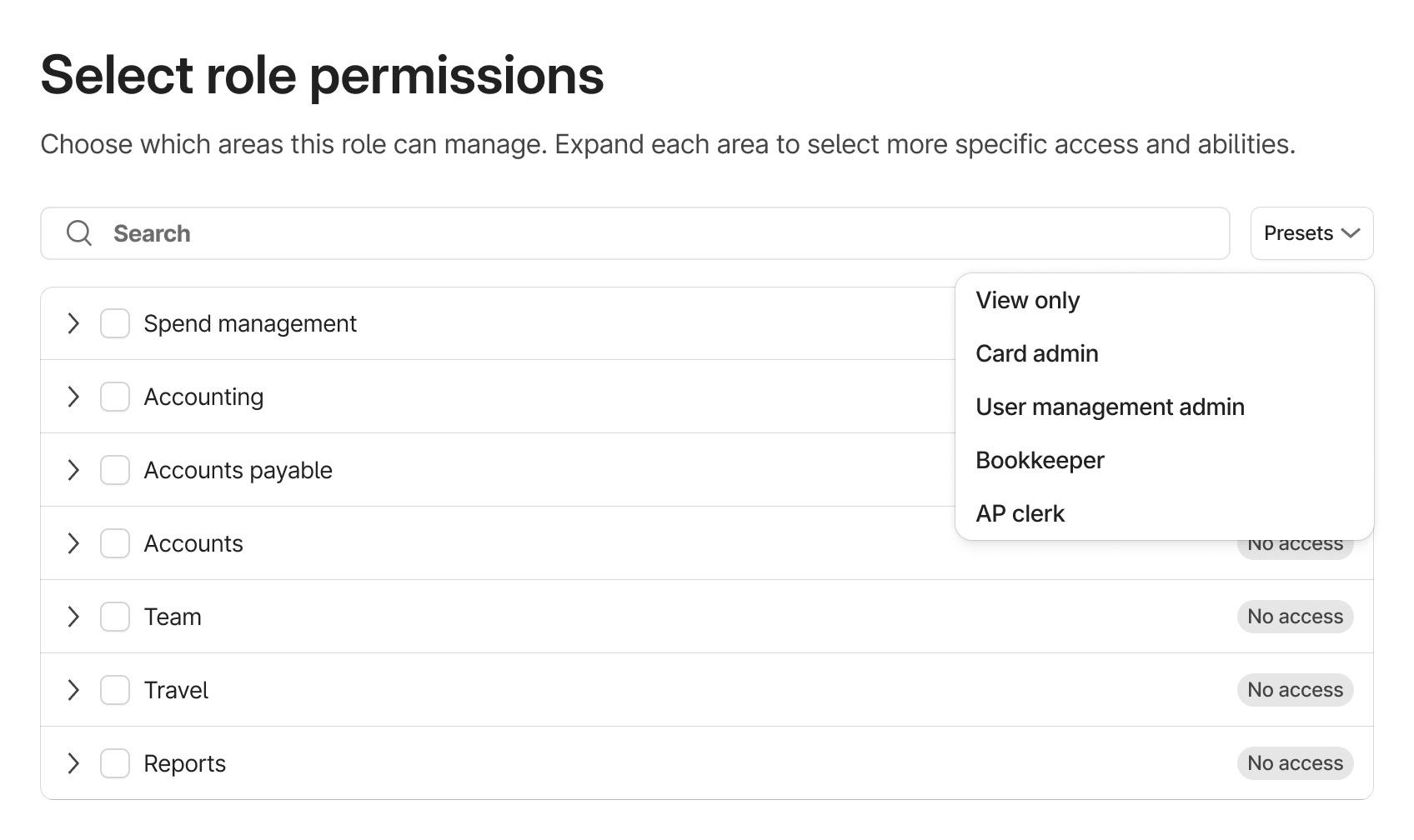
Presets to build off an existing role rather than starting from scratch.
A complete design. An incomplete platform.
Full domain coverage wasn't technically ready at launch — every team had unplanned backend work to support granular access levels, and that work was months away. Rather than wait, I designed detailed mockups showing exactly how each surface in Brex should behave across full, partial, and read-only access. Customers wouldn't see this work directly. But as each domain came online, the design decisions were already made. Engineering had a concrete reference, and nothing had to be reinvented.
Of the two additions I'd pushed for, one made the cut. Search was less critical with a shorter initial permissions list, but presets survived — since we could build off existing standard roles, users had somewhere familiar to start.
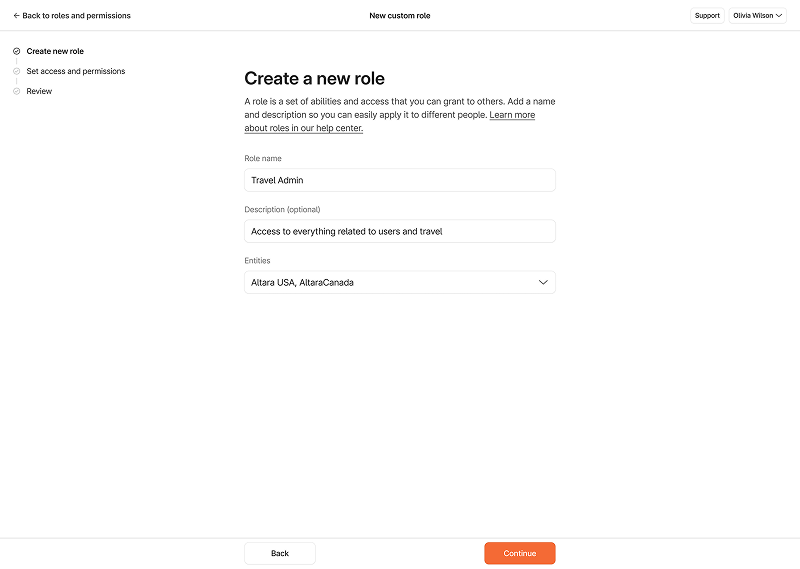
The shipped experience covered two primary flows: creating new custom roles and managing existing ones.
A little more of the experience...
Incremental releases and incremental learning
6 months after shipping...
We expanded to Banking, Rewards, Travel, and Payables in Summer '25, broadening applicability and lifting adoption further.
The gap between design complete and engineering ready
Working across three designers on a net-new project taught me that splitting up only works if you invest equally in coming back together. The gaps we found — the missing read state, the engineering constraints on access levels — emerged from those reconnection moments, not from individual work.
The engineering reality was the sharpest lesson. A complete component doesn't mean a shippable feature. Understanding what the platform could actually support, and when, would have changed how I sequenced my work. I'm glad I pushed for the best design, but knowing how far away the ideal state was may have changed how I documented decisions for the teams that followed.
The cross-functional research across domains also gave me a much clearer sense of how different teams think about access and risk. That context made me a better collaborator on the project, and came in useful well after it shipped.